HTML | Свойство DOM Style borderImageWidth
Опубликовано: 3 Февраля, 2022
Свойство Style borderImageWidth в HTML DOM используется для установки или возврата ширины изображения границы.
Синтаксис:
- Он возвращает свойство borderImageWidth.
object.style.borderImageWidth
- Он используется для установки свойства borderImageWidth
 object.style.borderImageWidth = "число | процент | авто |
начальный | наследование "
Property Values
- number: It is used to set the width as a multiple of corresponding computed value of border-width. This is the default value when set to 1.
Example 1:
<!DOCTYPE html><html><head><title>DOM Style borderImageWidth Property</title><style>.item {height: 70px;border: 10px solid transparent;border-image:border-image-slice: 60;border-image-repeat: round;text-align:center;padding-top:20px;font-size:40px;font-weight:bold;}</style></head><body><h2>DOM Style borderImageWidth Property</h2><p>Click on the button to change thewidth of border-image</p><divclass="item">GeeksforGeeks</div><buttononclick="changeWidth()">Click Here!</button><script>function changeWidth() {elem = document.querySelector(".item");// Setting the image width to a multiple of 3elem.style.borderImageWidth = "3";}</script></body></html>Output:
Before Click on the button: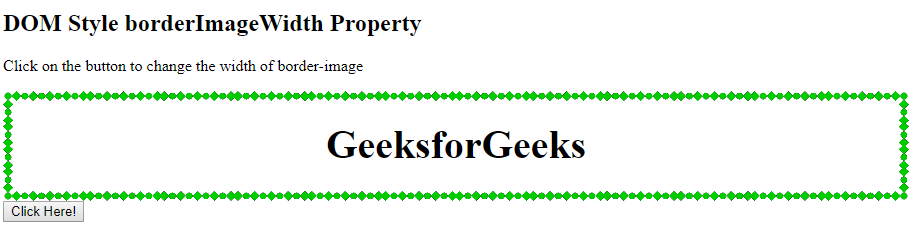
After Click on the button: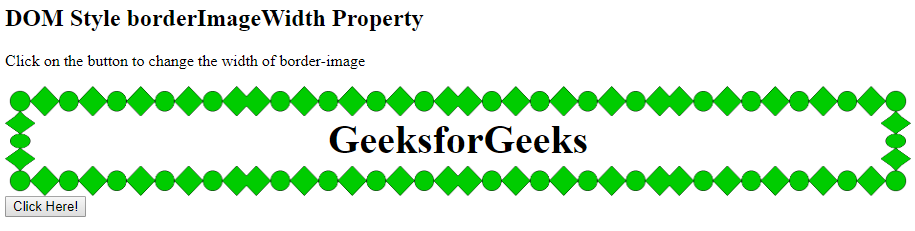
- length: It is used to set the width in terms of a length unit.
Example:
<!DOCTYPE html><html><head><title>DOM Style borderImageWidth Property</title><style>.item {height: 70px;border: 10px solid transparent;border-image:border-image-slice: 60;border-image-repeat: round;text-align:center;padding-top:20px;font-size:40px;font-weight:bold;}</style></head><body><h2>DOM Style borderImageWidth Property</h2><p>Click on the button to change thewidth of border-image</p><divclass="item">GeeksforGeeks</div><buttononclick="changeWidth()">Click Here!</button><script>function changeWidth() {elem = document.querySelector(".item");// Setting the image width to a multiple of 3elem.style.borderImageWidth = "30px";}</script></body></html>Output:
Before Click on the button:
After Click on the button: - percentage: It is used to set the width in terms of percentage. Percentage is relative to the width of the border image area for horizontal offsets and the height of the border image area for vertical offsets.
Example:
<!DOCTYPE html><html><head><title>DOM Style borderImageWidth Property</title><style>.item {height: 70px;border: 10px solid transparent;border-image:border-image-slice: 60;border-image-repeat: round;text-align:center;padding-top:20px;font-size:40px;font-weight:bold;}</style></head><body><h2>DOM Style borderImageWidth Property</h2><p>Click on the button to change thewidth of border-image</p><divclass="item">GeeksforGeeks</div><buttononclick="changeWidth()">Click Here!</button><script>function changeWidth() {elem = document.querySelector(".item");// Setting the image width to a multiple of 3elem.style.borderImageWidth = "10%";}</script></body></html>Output:
Before Click on the button:
After Click on the button: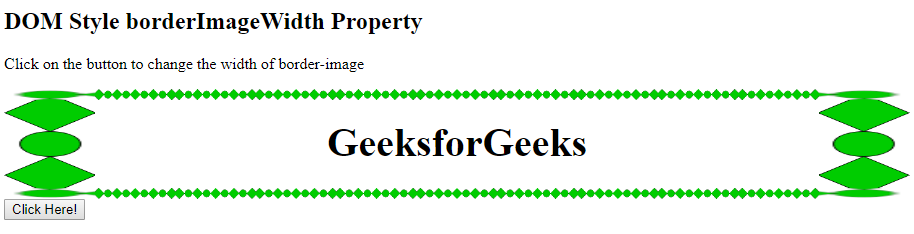
- auto: It makes width of the border equal to the intrinsic width or height of the corresponding image slice.
Example:
<!DOCTYPE html><html><head><title>DOM Style borderImageWidth Property</title><style>.item {height: 70px;border: 10px solid transparent;border-image:border-image-slice: 60;border-image-repeat: round;text-align:center;padding-top:20px;font-size:40px;font-weight:bold;}</style></head><body><h2>DOM Style borderImageWidth Property</h2><p>Click on the button to change thewidth of border-image</p><divclass="item">GeeksforGeeks</div><buttononclick="changeWidth()">Click Here!</button><script>function changeWidth() {elem = document.querySelector(".item");// Setting the image width to a multiple of 3elem.style.borderImageWidth = "auto";}</script></body></html>Output:
Before Click on the button:
After Click on the button: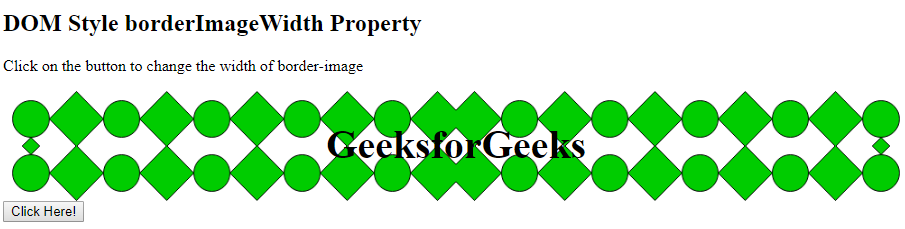
- initial: It is used to set borderImageWidth property to its default value.
Example:
<!DOCTYPE html><html><head><title>DOM Style borderImageWidth Property</title><style>.item {height: 70px;border: 10px solid transparent;border-image:border-image-slice: 60;border-image-repeat: round;text-align:center;padding-top:20px;font-size:40px;font-weight:bold;}</style></head><body><h2>DOM Style borderImageWidth Property</h2><p>Click on the button to change thewidth of border-image</p><divclass="item">GeeksforGeeks</div><buttononclick="changeWidth()">Click Here!</button><script>function changeWidth() {elem = document.querySelector(".item");// Setting the image width to a multiple of 3elem.style.borderImageWidth = "initial";}</script></body></html>Output:
Before Click on the button:
After Click on the button: - inherit: It inherits the property from its parent.
Example:
<!DOCTYPE html><html><head><title>DOM Style borderImageWidth Property</title><style>.item {height: 70px;border: 10px solid transparent;border-image:border-image-slice: 60;border-image-repeat: round;text-align:center;padding-top:20px;font-size:40px;font-weight:bold;}.Geeks {/* Setting the border-width to of parent */border-image-width: 30px;}</style></head><body><h2>DOM Style borderImageWidth Property</h2><p>Click on the button to change thewidth of border-image</p><divclass="Geeks"><divclass="item">GeeksforGeeks</div></div><buttononclick="changeWidth()">Click Here!</button><script>function changeWidth() {elem = document.querySelector(".item");// Setting the image width to inheritelem.style.borderImageWidth = "inherit";}</script></body></html>Output:
Before Click on the button:
After Click on the button:
Supported Browsers: The browser supported by borderImageWidth Property are listed below:
- Chrome
- Internet Explorer 11
- Firefox
- Safari 6