JLabel | Java Swing
JLabel - это класс Java Swing. JLabel используется для отображения короткой строки или значка изображения. JLabel может отображать текст, изображение или и то, и другое. JLabel - это только отображение текста или изображения, и он не может получить фокус. JLabel неактивен для ввода таких событий, как фокус мыши или фокус клавиатуры. По умолчанию метки центрируются по вертикали, но пользователь может изменить выравнивание метки.
Конструкторами класса являются:
- JLabel (): создает пустую метку без текста или изображения.
- JLabel (String s): создает новую метку с указанной строкой.
- JLabel (Значок i): создает новую этикетку с изображением на ней.
- JLabel (String s, Icon i, int align): создает новую метку со строкой, изображением и заданным горизонтальным выравниванием
Обычно используемые методы класса:
- getIcon (): возвращает изображение, отображаемое на этикетке
- setIcon (Icon i): устанавливает значок, который метка будет отображать для изображения i
- getText (): возвращает текст, который будет отображать метка
- setText (String s): устанавливает текст, который будет отображать метка, в строку s
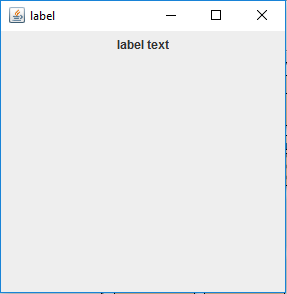
1. Program to create a blank label and add text to it.
Java
// Java Program to create a// blank label and add text to it.import java.awt.event.*;import java.awt.*;import javax.swing.*;class text extends JFrame { // frame static JFrame f; // label to display text static JLabel l; // default constructor text() { } // main class public static void main(String[] args) { // create a new frame to store text field and button f = new JFrame("label"); // create a label to display text l = new JLabel(); // add text to label l.setText("label text"); // create a panel JPanel p = new JPanel(); // add label to panel p.add(l); // add panel to frame f.add(p); // set the size of frame f.setSize(300, 300); f.show(); }} |
Выход :
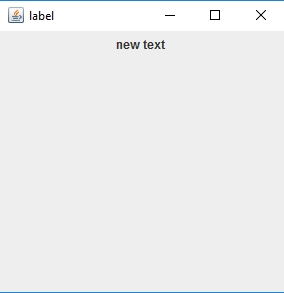
2. Program to create a new label using constructor – JLabel(String s)
Java
// Java Program to create a new label// using constructor - JLabel(String s)import java.awt.event.*;import java.awt.*;import javax.swing.*;class text extends JFrame { // frame static JFrame f; // label to display text static JLabel l; // default constructor text() { } // main class public static void main(String[] args) { // create a new frame to store text field and button f = new JFrame("label"); // create a label to display text l = new JLabel("new text "); // create a panel JPanel p = new JPanel(); // add label to panel p.add(l); // add panel to frame f.add(p); // set the size of frame f.setSize(300, 300); f.show(); }} |
Выход :
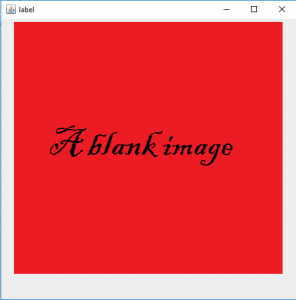
3. Program to create a label and add image to it .
Java
// Java Program to create a label// and add image to it .import java.awt.event.*;import java.awt.*;import javax.swing.*;class text extends JFrame { // frame static JFrame f; // label to display text static JLabel l; // default constructor text() { } // main class public static void main(String[] args) { // create a new frame to store text field and button f = new JFrame("label"); // create a new image icon ImageIcon i = new ImageIcon("f:/image.png"); // create a label to display image l = new JLabel(i); // create a panel JPanel p = new JPanel(); // add label to panel p.add(l); // add panel to frame f.add(p); // set the size of frame f.setSize(500, 500); f.show(); }} |
Выход :
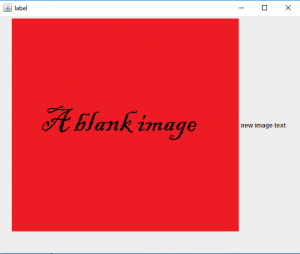
4. Program to add a image and string to a label
Java
// Java Program to add a image and string// to a label with horizontal alignmentimport java.awt.event.*;import java.awt.*;import javax.swing.*;class text extends JFrame { // frame static JFrame f; // label to display text static JLabel l; // default constructor text() { } // main class public static void main(String[] args) { // create a new frame to store text field and button f = new JFrame("label"); // create a new image icon ImageIcon i = new ImageIcon("f:/image.png"); // create a label to display text and image l = new JLabel("new image text ", i, SwingConstants.HORIZONTAL); // create a panel JPanel p = new JPanel(); // add label to panel p.add(l); // add panel to frame f.add(p); // set the size of frame f.setSize(600, 500); f.show(); }} |
Выход :
Примечание. Эти программы могут не работать в онлайн-компиляторе. Используйте автономную IDE.
Вниманию читателя! Не переставай учиться сейчас. Ознакомьтесь со всеми важными концепциями Java Foundation и коллекций с помощью курса "Основы Java и Java Collections" по доступной для студентов цене и будьте готовы к работе в отрасли. Чтобы завершить подготовку от изучения языка к DS Algo и многому другому, см. Полный курс подготовки к собеседованию .